
Heads up: Some links on this page are affiliate links. If you buy through them, we may earn a commission at no extra cost to you. As an Amazon Associate, we earn from qualifying purchases. Full disclosure
Testing note: We haven’t bench-tested these stations with a modem and router. Specs come from each maker’s product page, checked Oct 18, 2026. Runtimes are our estimates.
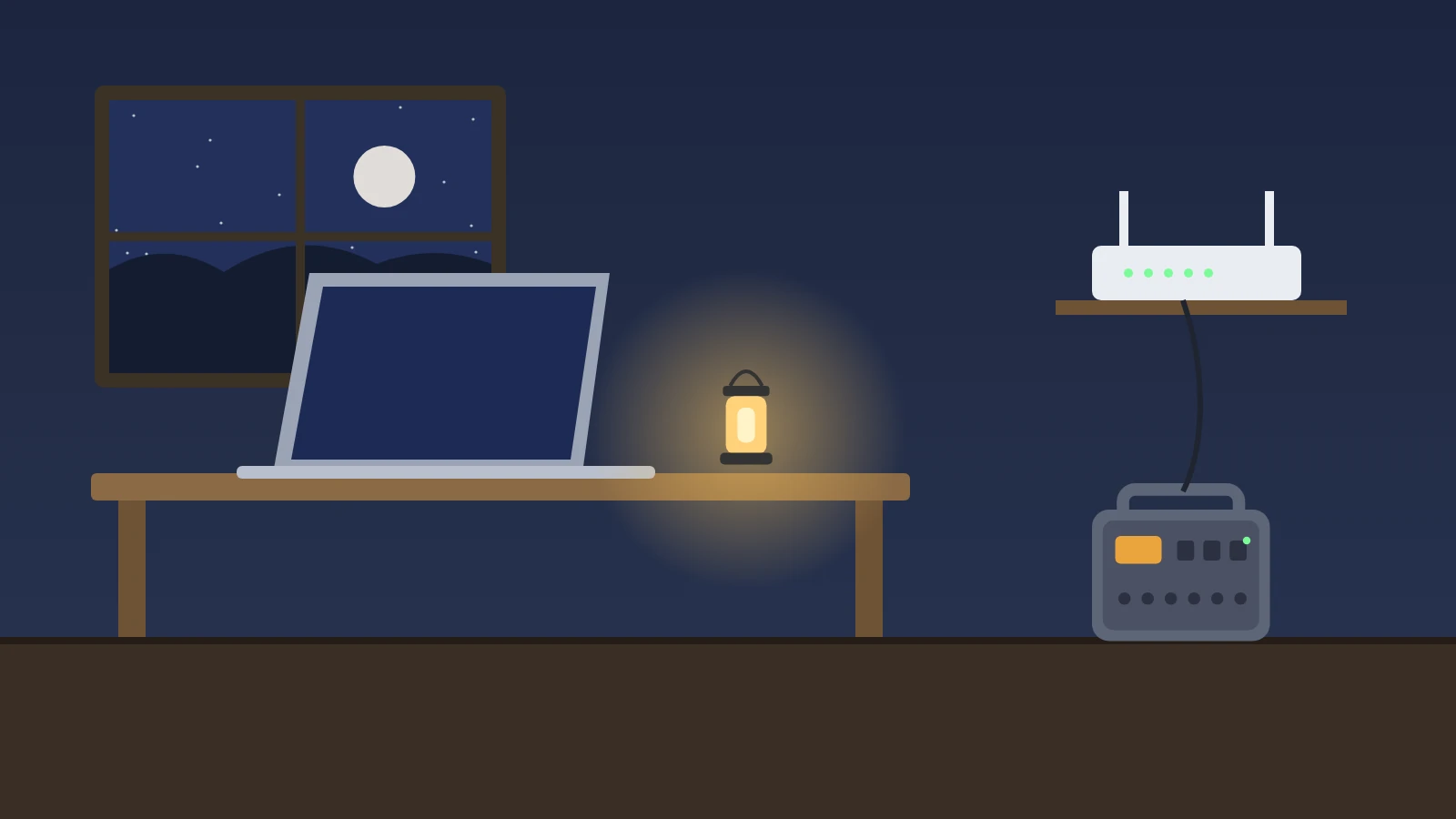
Our pick
EcoFlow DELTA 3 Plus: for a home office. EcoFlow lists a switchover under 10 ms when it’s used as a UPS, so a plugged-in router may not even reboot when the power drops.
The lightest? The Jackery Explorer 1000 v2. For the phones, a charged power bank like the Anker Power Bank 20K, 87W. Provider’s network down too? See satellite backup with Starlink.
Bottom line: A modem and router are small loads, so a ~1 kWh power station can usually run them for roughly a day. That only helps if your provider’s network still has power too, so keep phones charged as a backup.
- Best fit for a home office: the EcoFlow DELTA 3 Plus. EcoFlow lists a switchover time under 10 ms when it’s used as a UPS (uninterruptible power supply), so a plugged-in router may not even reboot when the power drops (EcoFlow).
- Lightest: the Jackery Explorer 1000 v2. Jackery says it switches power in under 20 milliseconds (Jackery).
- For the phones: a charged power bank like the Anker Power Bank 20K, 87W, so the station’s battery goes to the network gear.
First, know what can and can’t stay online
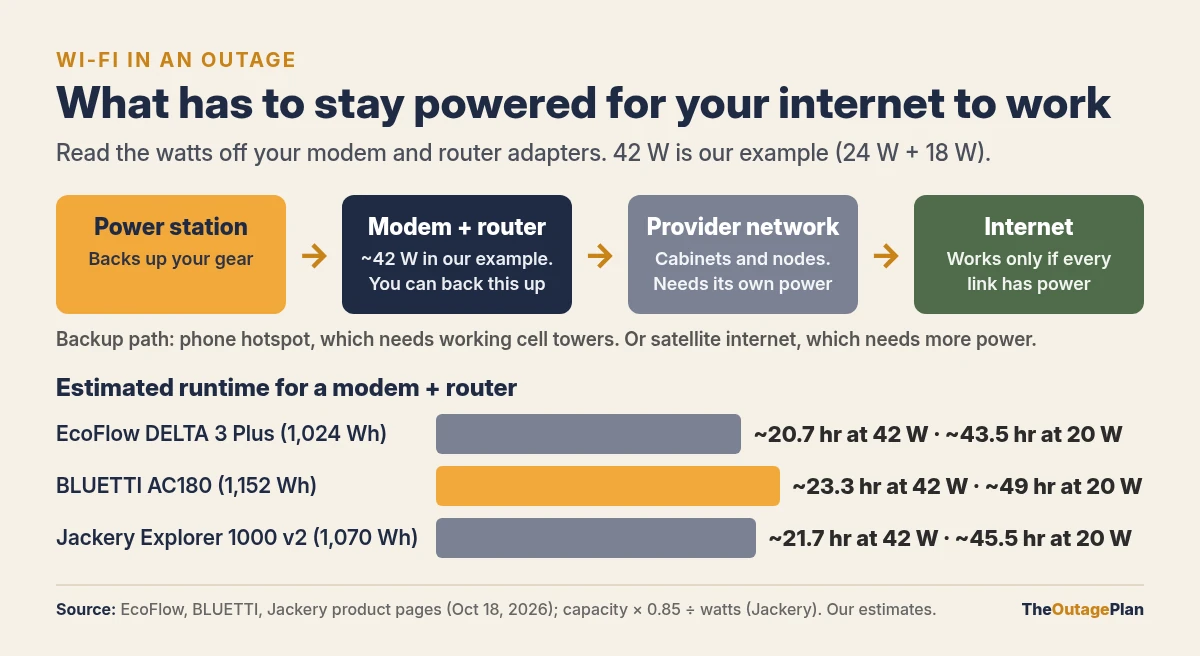
Your Wi-Fi depends on three things having power:
- Your gear: the modem (or fiber terminal) and the router. This part you can back up.
- Your provider’s network: the cabinets, nodes, and offices between you and the internet. If the outage takes those down, a powered router won’t help.
- Cell towers, if you plan to fall back on a phone hotspot.
Ready.gov’s outage advice includes figuring out whether your home phone will work in a power outage and how long its battery backup will last (Ready.gov). The FCC warns that internet-based (VoIP) home phone service may not work if your power or internet is out, and suggests backup power or a wireless phone (FCC). So:
- Call your provider (or check your account) and ask whether your modem, fiber terminal, or voice adapter has a backup battery, and how long it lasts.
- Keep a charged cell phone as your 911 lifeline no matter what you back up.
Step 1: Find your modem and router watts
Look at each power adapter (the “brick” or wall plug). It lists its output, for example 12 V ⎓ 1.5 A.
Watts = volts × amps. So 12 V × 1.5 A = 18 W.
That’s the most the adapter can supply, so using it gives you a conservative number. Your gear usually draws less. Add any other network gear on the same circuit: a mesh node, a network switch, or a fiber terminal if it has its own adapter.
A worked example (your labels will differ):
| Device | Adapter label | Max watts |
|---|---|---|
| Cable modem | 12 V ⎓ 2 A | 24 W |
| Wi-Fi router | 12 V ⎓ 1.5 A | 18 W |
| Total | 42 W |
Step 2: Estimate runtime
We use Jackery’s planning formula, capacity × 0.85 ÷ watts (Jackery), for all three stations as our own estimate. The 0.85 covers conversion losses, including the station’s AC inverter.
| Station | Capacity | Runtime at 42 W (example) | Runtime at 20 W |
|---|---|---|---|
| EcoFlow DELTA 3 Plus | 1,024 Wh | ~20.7 hr | ~43.5 hr |
| BLUETTI AC180 | 1,152 Wh | ~23.3 hr | ~49 hr |
| Jackery Explorer 1000 v2 | 1,070 Wh | ~21.7 hr | ~45.5 hr |
Sources: EcoFlow, BLUETTI, Jackery.
Add a laptop and its charger’s watts to the total if you’re working from home. To stretch the battery, turn the router off overnight and run it during the hours you actually need it.
If you’re also keeping a fridge or CPAP going, add those loads first. See how long a power station runs a refrigerator and backup power for a CPAP. Network gear is usually the easy part of the list.
Step 3: Decide how it switches over
There are two ways to set it up:
- Plug in when the power goes out. Simple. The modem and router reboot and take a few minutes to reconnect.
- Leave them plugged into the station all the time, with the station plugged into the wall. On models with a UPS or fast-switching feature, the station takes over when the grid drops. Makers list under 10 ms for the DELTA 3 Plus (EcoFlow) and under 20 ms for the Explorer 1000 v2 (Jackery). We didn’t find a switchover time on BLUETTI’s AC180 product page, so check its manual before counting on that.
Jackery’s FAQ also says its stations aren’t recommended for business-critical equipment that needs uninterrupted power, such as data servers (Jackery). For a home router that’s fine. For anything that truly can’t blink, use a dedicated UPS made for that job.
What about a power bank?
Most home routers take a 12 V barrel plug, not USB. Unless your router’s manual says it can run on USB-C power, use the power station’s AC outlet for the network gear and save the Anker power bank for phones. Anker lists it at 20,000 mAh with up to 65 W from its built-in USB-C cable or USB-C port (Anker). Our phone charging guide works out how many phone charges that is, and our power bank picks cover other sizes.
If the provider’s network is down too
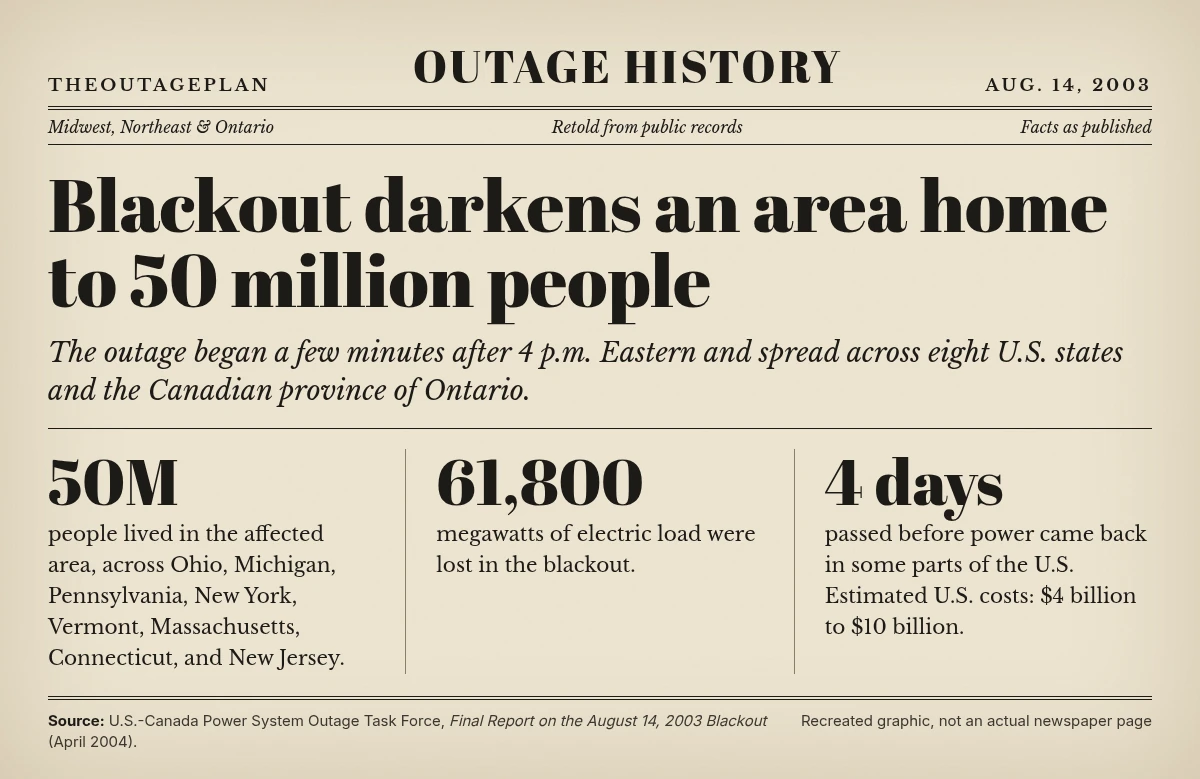
Big outages take down more than your house. One example:
- Phone hotspot: if cell towers in your area still have power, a phone hotspot can carry email and messages. It drains the phone quickly, so keep it plugged into a power bank.
- Text instead of calling when networks are busy.
- Get alerts another way: a battery or crank radio with NOAA weather channels works with no internet at all. See our NOAA weather radio guide.
Satellite backup internet with Starlink
If outages in your area tend to take down the local cable, fiber, or cell network along with the power, a satellite dish gets around that. It talks to Starlink’s satellites directly, so it only needs power, a clear view of the sky, and an active plan.
A monthly Starlink service plan is required and is bought separately from Starlink. The kit alone doesn’t get you online. Check plans, pricing, and availability for your address on Starlink’s site before you buy.
How much power it draws
Starlink’s spec sheets list:
- Starlink Mini: average power use of 25–40 W. Its DC input takes 12–48 V, 60 W max, and it can run from a 100 W (20 V/5 A) USB-C PD port using Starlink’s USB-C to barrel jack cable, which is sold separately. Starlink says USB-C sources of 65 W or less won’t work (Starlink Mini specs, Starlink Help Center). The router is built in, so that’s the whole load.
- Starlink Standard: average power use of 75–100 W, powered from AC through the included power supply, with a separate Wi-Fi 6 router (Starlink Standard specs).
All three of our station picks have a USB-C port that can supply at least 100 W: two 140 W ports on the DELTA 3 Plus (EcoFlow), a 100 W port on the AC180 (BLUETTI), and 100 W USB-C on the Explorer 1000 v2 (Jackery). Running the Mini from USB-C skips the AC inverter, which usually wastes less battery. Plug the Standard into an AC outlet.
Runtime on our station picks
Same formula as above: capacity × 0.85 ÷ watts. We use the 0.85 for both the Mini (DC) and the Standard (AC) to keep it conservative. Capacities are from each maker’s spec page.
Example for the DELTA 3 Plus with the Mini at its 40 W high end: 1,024 Wh × 0.85 = 870 Wh, and 870 ÷ 40 = about 21.8 hours.
| Station | Capacity | Usable (× 0.85) | Mini at 40 W | Mini at 25 W | Standard at 100 W | Standard at 75 W |
|---|---|---|---|---|---|---|
| EcoFlow DELTA 3 Plus | 1,024 Wh | ~870 Wh | ~21.8 hr | ~34.8 hr | ~8.7 hr | ~11.6 hr |
| BLUETTI AC180 | 1,152 Wh | ~979 Wh | ~24.5 hr | ~39.2 hr | ~9.8 hr | ~13.1 hr |
| Jackery Explorer 1000 v2 | 1,070 Wh | ~910 Wh | ~22.7 hr | ~36.4 hr | ~9.1 hr | ~12.1 hr |
These are estimates, not tested runtimes. Snow melt, heat, and heavy use push draw toward the top of the range. Add any laptop or phone you charge from the same station. To stretch it, power the dish only during the hours you need it.
Which kit fits
- Starlink Mini Kit: the better outage backup for most homes. It has the lowest draw, a built-in Wi-Fi 5 router, runs from a power station’s USB-C, and the dish weighs about 2.4 lb, so you can set it up only when you need it. Check on Amazon
- Starlink Standard Kit: made to be your everyday home internet, with a Wi-Fi 6 router rated for up to 3,200 sq ft. It uses roughly 2 to 3 times the Mini’s power, so it drains a station faster in an outage. Check on Amazon
Both need a clear view of the sky. Starlink’s app can check your spot for obstructions before you commit. Both kits are on our Gear page.
Quick checklist
- ☐ Read the watts off the modem, router, and any mesh node adapters, then add them up
- ☐ Multiply the station’s Wh by 0.85 and divide by your total watts for a runtime estimate
- ☐ Ask your provider whether your modem, fiber terminal, or voice adapter has battery backup, and for how long
- ☐ Station charged to full whenever a storm, heat wave, or shutoff warning is in the forecast
- ☐ Power bank charged for the phones
- ☐ A NOAA weather radio for alerts if the internet goes down anyway
- ☐ Using Starlink as backup? Keep the plan active, test it before storm season, and have the Mini’s USB-C cable or an AC outlet ready
Everything we mention is on our Gear page. Sizing a bigger list? Use the power station sizing guide, or start with the 72-hour outage kit checklist.
Specs checked Oct 18, 2026, from EcoFlow, BLUETTI, Jackery, Anker, and Starlink product pages and spec sheets. Runtimes are our estimates, not manufacturer claims. If a maker updates a spec, their page wins. This is general information, not electrical advice.